


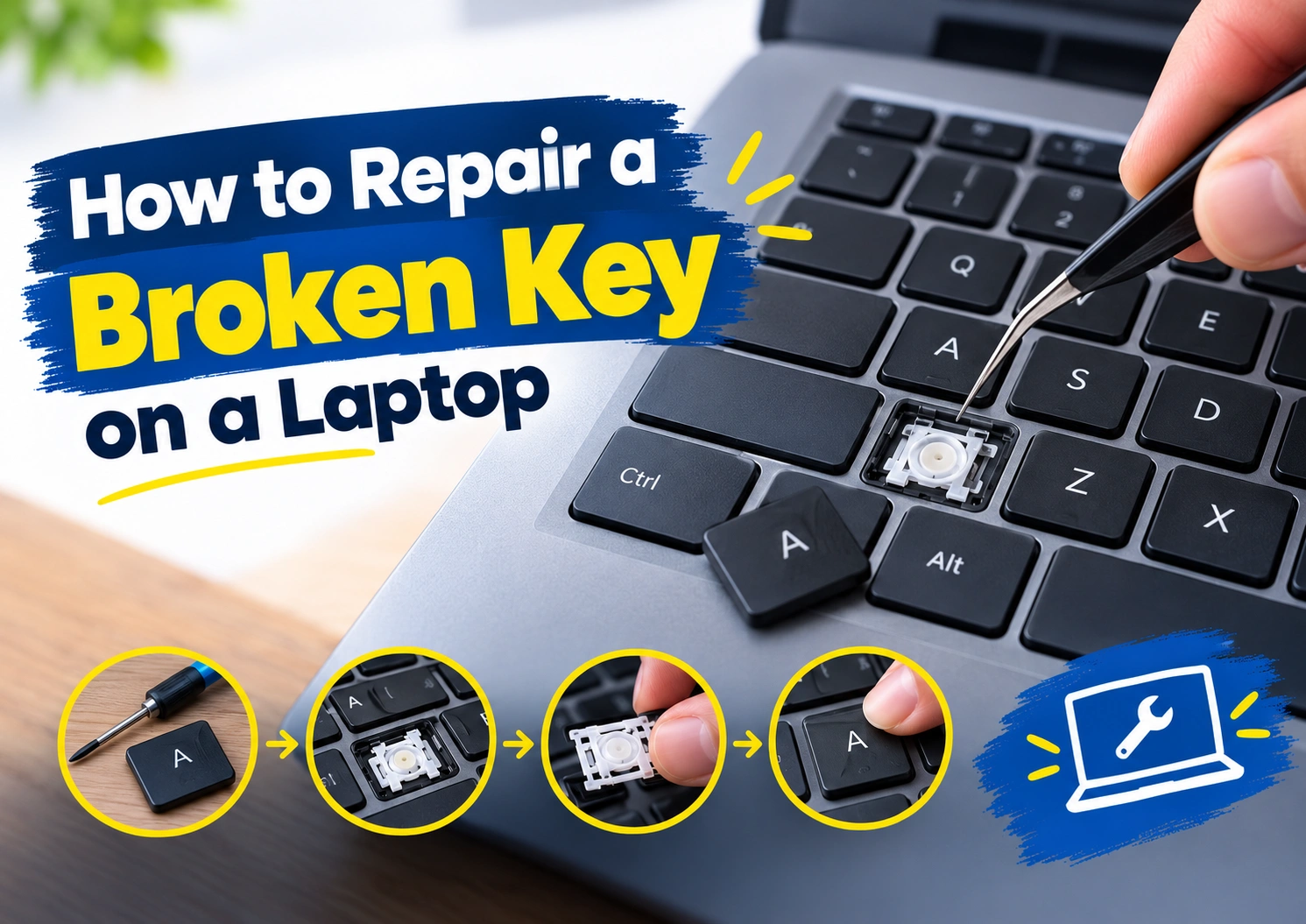
How to Repair a Broken Key on a Laptop | Easy Guide
A broken laptop key can often be fixed by cleaning around the key, carefully reattaching a loose keycap, or replacing a damaged keycap or retainer. If the key still does not respond, several keys are affected, or the mechanism underneath is damaged, the keyboard may need professional repair.
Reboot IT provides laptop repair in Kolkata, including diagnosis of broken, loose, stuck and unresponsive keyboard keys. The right repair depends on whether the problem is limited to one key or involves the keyboard itself.
What Causes a Laptop Keyboard Key to Stop Working?
A laptop key can stop working for several reasons. Dust, crumbs and debris may collect around the key and make it difficult to press. Regular use can also loosen a keycap or wear the small clips underneath it.
Physical damage is another common cause. A key may come off after being pulled accidentally, while pressing a loose key repeatedly can damage its retainer or scissor mechanism.
Sometimes the key looks completely normal but does not respond. In that case, the problem may involve liquid damage, an internal keyboard connection, input settings or the keyboard assembly rather than the visible keycap.
Identifying the cause first makes laptop key repair much easier and helps avoid replacing parts unnecessarily.
Common Laptop Keyboard Key Problems
Most broken laptop keys fall into a few common categories.
Loose or Wobbly Laptop Key
The key still works but feels unstable, sits unevenly or lifts from one side. This usually means the keycap is not seated correctly or the retainer underneath has become loose.
Laptop Keycap Came Off
A keycap can pop off while the mechanism underneath remains undamaged. If the clips and retainer are still intact, the key may simply need to be aligned and reattached.
Broken Keycap or Retainer
If the keycap is cracked or the small retaining clips underneath are damaged, pressing the old key back into place usually will not solve the problem. A compatible laptop key replacement may be required.
Stuck Laptop Key
A key that feels stiff, stays pressed down or does not spring back smoothly often has dirt or debris around or underneath it.
Laptop Key Is Not Responding
If the key moves normally but produces no input, the issue may be deeper than the keycap. This can point to a keyboard or internal connection problem.
What Tools Do You Need to Fix a Laptop Keyboard Key?
Basic laptop keyboard key repair usually requires only a few simple tools:
- Soft cleaning brush
- Compressed air suitable for electronics
- Plastic opening tool
- Fine tweezers
- Lint-free cloth
- Compatible replacement keycap or retainer, if needed
Always shut down the laptop before working around the keyboard.
Avoid using sharp tools or excessive pressure. Laptop key clips and retainers are small and delicate, and forcing them can turn a minor repair into a larger problem.
How to Fix a Laptop Keyboard Key
Once you understand the problem, use the repair method that matches the damage.
Fix a Loose Laptop Key
Check whether the key sits evenly with the surrounding keys. If one side is raised, carefully position the keycap over the retainer and press it down with light, even pressure.
If the key remains loose, the clips or retainer may be damaged and need replacement.
Reattach a Laptop Key That Came Off
If you want to know how to put a laptop key back on, first inspect the underside of the keycap and the mechanism attached to the keyboard.
If both appear intact, align the keycap correctly and press it down gently. It should sit evenly once attached.
Do not force it if it refuses to fit. Larger keys such as Enter, Shift and the spacebar may also contain stabilisers, making them more difficult to reattach.
Clean and Fix a Stuck Laptop Key
Turn the laptop off and use a soft brush or short bursts of compressed air around the affected key.
Avoid pouring cleaning liquid directly onto the keyboard.
Once the area is clean, compare the movement of the problem key with nearby keys. If it still feels stiff or does not return normally, there may be physical damage underneath.
Fix a Laptop Key That Is Not Working
If the key looks fine but does not respond, restart the laptop and test it in more than one application.
Check whether the issue affects only one key or several nearby keys. A single non-working key may have a local fault, while several failed keys can indicate a wider keyboard or connection problem.
Replace a Broken or Missing Laptop Key
A cracked, missing or badly damaged keycap may need replacing.
Make sure the replacement keycap and retainer match the exact laptop model and keyboard mechanism. Similar-looking laptop keys can use different clips underneath.
Using an incompatible replacement can damage the mounting points and make the repair more difficult.
Can You Replace One Laptop Key Instead of the Whole Keyboard?
Yes, in many cases you can replace one laptop key without changing the complete keyboard.
If the damage is limited to the keycap or removable retainer, laptop keyboard key replacement may be enough.
A single-key replacement becomes less practical when the mounting points underneath are broken, several keys have stopped working, liquid has entered the keyboard, or the keyboard is no longer registering input correctly.
The condition of the underlying mechanism matters more than the appearance of the key itself.
When Does the Complete Laptop Keyboard Need Repair or Replacement?
A single broken key does not automatically mean the entire keyboard needs replacing.
Full laptop keyboard repair or replacement becomes more likely when:
- Several keys stop responding
- Nearby keys fail together
- Keys type incorrectly
- Liquid has entered the keyboard
- Keyboard mounting points are damaged
- A key works only occasionally
- Replacing an individual key does not solve the problem
These symptoms can indicate damage to the keyboard assembly, connector or another internal component rather than a simple keycap problem.
How Much Does Laptop Keyboard Repair Cost?
There is no fixed laptop keyboard repair cost because the price depends on the type of fault.
A loose key that only needs reseating is very different from a broken retainer, liquid-damaged keyboard or complete keyboard replacement.
Repair cost can depend on:
- Laptop brand and model
- Type of damage
- Availability of replacement parts
- Single-key repair or full keyboard replacement
- Internal damage
- Repair complexity
An inspection is usually the best way to determine whether repairing one key or replacing the keyboard makes more sense.
When Should You Stop DIY Laptop Key Repair?
Cleaning around a sticky key or carefully reattaching an intact keycap can be reasonable to try at home.
Stop if the retainer is cracked, the mounting points look damaged, the key will not stay attached, liquid damage is suspected, or several keys have stopped working.
Repeatedly forcing a damaged key can break the mechanism underneath and make the repair more expensive.
When the problem goes beyond the visible keycap, professional diagnosis is usually the safer option.
Professional Laptop Keyboard Repair with Reboot IT
Not every keyboard problem needs a complete replacement. Finding the actual fault first can help determine the most suitable repair.
Reboot IT provides professional Service for broken, damaged and unresponsive keyboard keys. The issue can be checked to determine whether it involves the keycap, retainer, keyboard assembly or an internal connection before deciding on repair or replacement.
If basic troubleshooting has not worked, several keys are failing, or the keyboard has suffered physical or liquid damage, professional inspection can help prevent further damage and unnecessary part replacement.
How to Prevent Laptop Keyboard Key Damage
A few simple habits can reduce the chances of another broken keyboard key.
Keep food and drinks away from the laptop, remove surface dust regularly and avoid pulling at keycaps while cleaning. If a key starts feeling loose, stiff or unusual, check it early instead of repeatedly pressing it harder.
A broken laptop key does not always require a new keyboard. The important thing is identifying whether the problem is with the keycap, retaining mechanism or keyboard itself before deciding how to repair it.
Frequently Asked Questions
Can You Repair a Single Key on a Laptop?
Yes. If the keycap or removable retainer is the only damaged part, a single laptop key can often be repaired or replaced. Damage to the mounting point or keyboard assembly may require a wider repair.
Can a Sticky Laptop Key Be Fixed Without Replacing the Keyboard?
Often, yes. Dust, crumbs or residue around the key may make it sticky. Careful cleaning can sometimes restore normal movement. If the key remains stuck afterward, the mechanism underneath should be checked.
What Should You Do If Liquid Spills on a Laptop Keyboard?
Turn the laptop off as soon as it is safe to do so and disconnect external power. Avoid repeatedly testing the keyboard while liquid may still be inside. Liquid can affect more than one key, so professional inspection may be needed.
How Long Does Laptop Keyboard Replacement Take?
The time required depends on the laptop model, keyboard design, availability of the correct replacement part and the extent of the damage. Some keyboards are easier to access and replace than others.
Why Does My Laptop Key Type the Wrong Character?
A key typing the wrong character does not always mean it is physically broken. Keyboard layout, language or input settings can sometimes cause incorrect characters. If settings are correct and the issue continues, the keyboard may need further diagnosis.
Does Replacing a Laptop Keyboard Delete Your Data?
Normally, replacing the keyboard itself does not erase files stored on the laptop because the keyboard and storage drive are separate components. It is still sensible to keep important data backed up before any hardware repair.
Can a Missing Laptop Key Be Replaced?
Yes, provided a compatible keycap and retainer are available and the mounting points underneath are undamaged. Always match replacement parts to the exact laptop model and keyboard mechanism.
Is It Worth Repairing or Replacing a Laptop Keyboard?
It depends on the damage. Repairing or replacing one key can make sense when the rest of the keyboard works normally. If several keys have failed, the keyboard has liquid damage, or internal components are affected, replacing the complete keyboard may be the more practical option.

Leave a Comment