
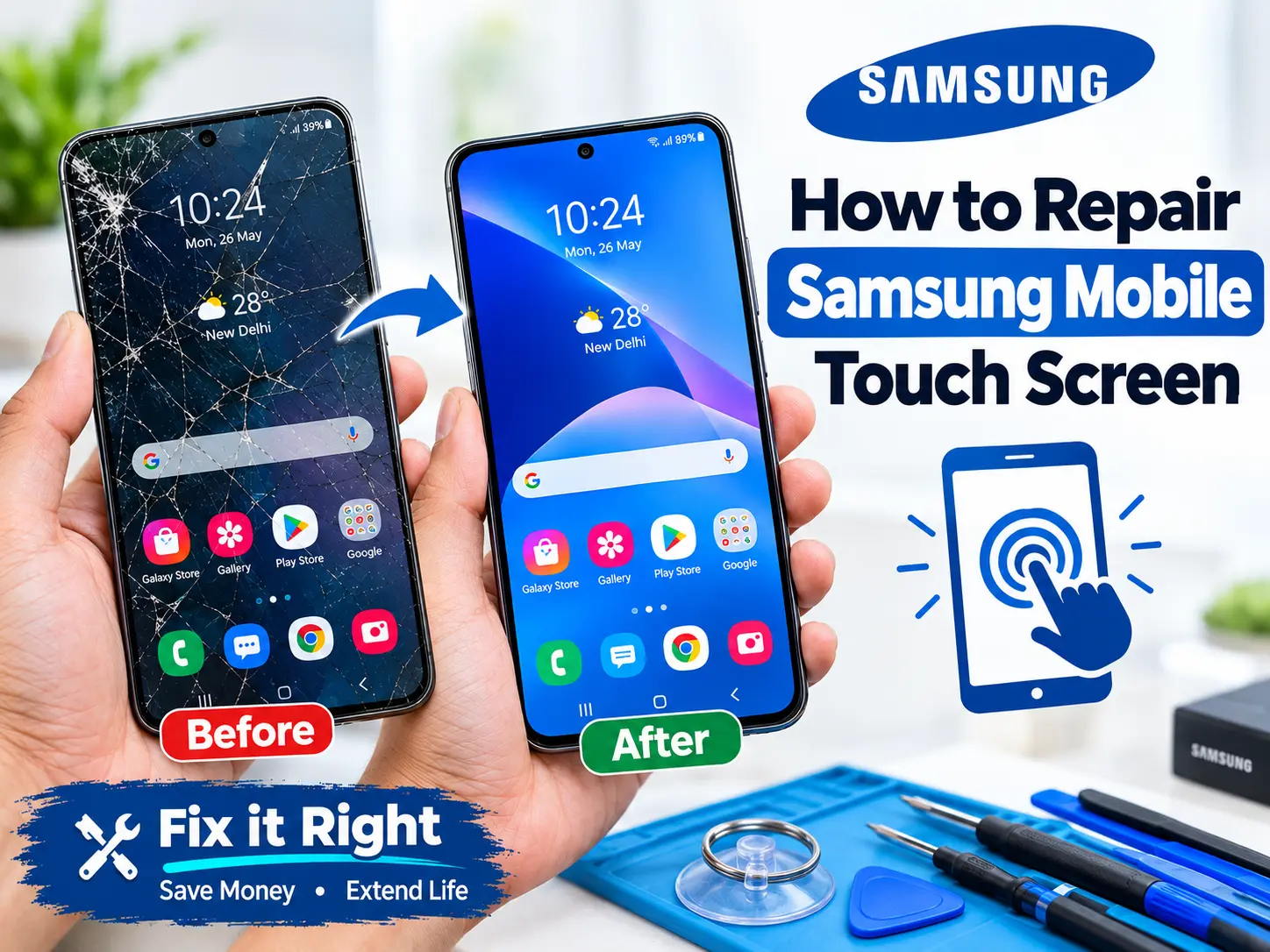
How to Repair Samsung Mobile Touch Screen: Causes, Fixes & Samsung Models
If you want to know how to repair samsung mobile touch screen, first check whether the problem is caused by software, dirt, a screen protector, a system freeze, or physical damage. Restart your Samsung phone and clean the screen with a soft, dry cloth. Remove a thick or damaged screen protector and test the touch again.
If the Samsung screen is not working but the phone is on, a forced restart may help. If touch still does not work after a drop, water damage, reset, or update, the display or touch layer may be damaged. In that case, professional Samsung screen repair may be needed.
What Causes a Samsung Touch Screen to Stop Working?
A Samsung touch screen can stop responding for many reasons. Sometimes the problem is small and can be fixed at home. In other cases, the screen needs professional repair.
Common causes include:
- Dirty or wet screen
- Damaged screen protector
- Phone software freeze
- Recent software update
- Phone overheating
- Accidental drop
- Cracked display
- Water or liquid damage
- Faulty touch digitizer
- Loose display connection
- Internal hardware damage
If your Samsung screen is not working but phone is on, the phone may still be running normally even though the display or touch function has failed.
Common Samsung Touch Screen Problems
| Problem | Possible Cause | First Fix |
|---|---|---|
| Touch does not work anywhere | Software or display damage | Force restart |
| Touch works in some areas | Damaged touch layer | Test without screen protector |
| Screen is black but phone rings | Display problem | Professional inspection |
| Touch stopped after a drop | Physical damage | Check display |
| Touch stopped after an update | Software problem | Restart and update again |
How to Repair Samsung Mobile Touch Screen: Step-by-Step
Before replacing the screen, try these safe troubleshooting steps.
Step 1: Clean the Screen
Turn off the phone if possible. Use a soft, dry microfiber cloth to clean the screen.
Do not use a lot of water or strong cleaning chemicals. Moisture can enter the phone and cause more damage.
Also make sure your fingers are dry before testing the touch.
Step 2: Remove the Screen Protector
A thick, broken, or badly fitted screen protector can sometimes affect touch response.
Remove the protector carefully and test the screen again.
If touch starts working normally, you may only need a new screen protector.
Step 3: Force Restart Your Samsung Phone
A frozen phone can make the touch screen appear dead.
On many Samsung Galaxy phones, press and hold the Side/Power button and Volume Down button together for around 7–10 seconds.
Wait for the phone to restart and test the screen.
This does not normally erase your personal data.
Step 4: Check for Physical Damage
Look closely at the screen.
Check for:
- Cracks
- Black spots
- Green or pink lines
- Flickering
- Missing touch areas
- Screen lifting from the frame
If the touch stopped working after the phone was dropped, physical damage is more likely.
Step 5: Check the Phone After an Update
If your Samsung touch screen is not working after an update, restart the phone first.
A temporary software problem may affect touch response. If the problem continues, check whether another system update is available.
Do not immediately perform a factory reset unless your data is backed up.
Step 6: Test Touch in Different Areas
Try touching different parts of the screen.
For example, open the keyboard and press different letters.
If only one part of the display does not respond, the touch digitizer may have a hardware problem.
Step 7: Start the Phone in Safe Mode
Safe Mode can help identify whether a third-party app is causing the problem.
If the touch screen works properly in Safe Mode, a recently installed application may be causing the issue.
Remove suspicious or recently installed apps and restart the phone normally.
Step 8: Avoid Factory Reset as the First Fix
A factory reset removes personal data from the phone.
Therefore, it should not be the first step when the touch screen stops working.
Try simple troubleshooting first. If you can access your phone, back up important photos, contacts, documents, and other files before advanced repair.
Samsung Touch Screen Not Working but Phone Is On
One common problem is a Samsung screen not working but phone is on.
You may hear calls, receive notifications, or feel vibration while the display does not respond.
This usually means the phone itself may still be running.
| What You Notice | What It May Mean |
|---|---|
| Phone rings but screen is black | Display failure |
| Screen works but touch does not | Touch digitizer problem |
| Only part of screen responds | Local touch-layer damage |
| Touch stopped after drop | Physical screen damage |
| Touch stopped after water exposure | Liquid-related damage |
| Phone freezes completely | Software or system problem |
If the phone has important data, avoid opening it yourself. An experienced technician can inspect the display and internal connections.
Samsung Touch Screen Not Working After Drop
A drop can damage the glass, display panel, touch digitizer, or internal display connection.
Sometimes the glass looks fine but touch stops working. This happens because the internal touch layer can be damaged without creating a large visible crack.
If the touch screen stopped working immediately after a fall, do not press the screen hard to make it work.
A professional technician should check the display assembly and connector.
Samsung Touch Screen Not Working After Reset
If the touch screen stopped responding after a reset, the problem may be related to software setup, but hardware damage is also possible.
First, restart the phone.
If the touch works during startup but stops later, software or configuration may be involved.
If touch does not work at all, the screen hardware may need testing.
Do not repeat factory resets again and again. A reset cannot repair a physically damaged touch digitizer.
Samsung Touch Screen Not Working in Some Areas
If the touch screen works on one side but not another, this can be a sign of touch-layer damage.
For example, you may be able to open an app but cannot press buttons near the bottom of the screen.
This problem is common when the display has suffered physical damage.
You can test different areas using the keyboard or by moving icons across the screen.
If the same area always fails, professional screen testing is recommended.
Samsung Models That May Need Touch Screen Repair
Samsung has many Galaxy models. The exact repair method and screen assembly can be different for each model.
| Samsung Series | Example Models | Common Screen Type |
|---|---|---|
| Galaxy S Series | S21, S22, S23, S24, S25 | AMOLED/Dynamic AMOLED |
| Galaxy A Series | A14, A15, A24, A34, A54 | AMOLED/LCD depending on model |
| Galaxy M Series | M14, M34, M54 | AMOLED/LCD depending on model |
| Galaxy Note Series | Note 10, Note 20 | AMOLED |
Always identify the exact Samsung model before ordering a replacement screen.
For example, a Galaxy S23 screen is not the same as a Galaxy A54 screen. Using the wrong display can cause compatibility and fitting problems.
When Does a Samsung Screen Need Replacement?
Not every touch problem means the entire screen must be replaced.
A technician should first check the phone.
Screen replacement may be considered when:
- Touch completely stops working
- Touch fails in several areas
- The display has severe cracks
- The screen shows lines or black patches
- The display flickers
- The phone was dropped and touch stopped
- The screen has liquid damage
In some phones, the display and touch layer are joined as one assembly. In such cases, replacing the complete screen assembly may be the practical repair.
How a Professional Technician Repairs a Samsung Touch Screen
Professional repair usually starts with diagnosis.
| Repair Stage | What the Technician Does |
|---|---|
| 1. Inspection | Checks display and body damage |
| 2. Testing | Tests touch and display functions |
| 3. Connector Check | Checks internal display connections |
| 4. Screen Testing | Tests a compatible replacement |
| 5. Replacement | Installs the required screen assembly |
| 6. Final Test | Checks touch, display and other functions |
The technician should also check whether the problem is caused by the motherboard, display connector, battery swelling, liquid damage, or the screen itself.
At Reboot IT, technicians can diagnose the problem before recommending a screen replacement. This helps avoid unnecessary repairs.
Can You Repair a Samsung Touch Screen at Home?
Simple troubleshooting can be done at home.
You can safely:
- Clean the screen.
- Remove the screen protector.
- Restart the phone.
- Check for software updates.
- Test the screen in different areas.
- Back up your data if possible.
However, opening the phone is different.
Samsung phones contain delicate internal parts. Incorrect opening or fitting can damage the display, battery, cables, or water-resistance seals.
For a cracked or completely unresponsive screen, professional repair is safer.
What Should You Do if Your Samsung Phone Has Water Damage?
If your Samsung phone has been exposed to water and the touch stops working, switch it off if possible.
Do not:
- Charge the phone
- Use a hair dryer
- Heat the phone
- Press the screen repeatedly
- Keep restarting it
Liquid can cause corrosion inside the phone.
Take the device to a professional repair centre for inspection as soon as possible.
Future of Samsung Touch Screen Repair
Touch screen repair is becoming more advanced.
Future repair methods may use better diagnostic tools to identify whether the problem is in the display, touch layer, connector, or motherboard.
Modern repair centres may also use advanced screen testing equipment before replacing a complete display.
In the future, technicians may be able to repair smaller parts of a screen assembly instead of replacing the whole unit in more cases. Improved display technology may also make repairs faster and more accurate.
| Future Repair Technology | Possible Benefit |
|---|---|
| Advanced screen diagnostics | Faster fault detection |
| Better display testing tools | More accurate repair |
| Improved replacement parts | Better screen performance |
| Component-level repair | May reduce replacement cost |
| Better repair software | Easier device testing |
However, the repair method will depend on the Samsung model and the type of damage.
How to Prevent Samsung Touch Screen Problems
Prevention can reduce the chance of screen damage.
Follow these simple tips:
- Use a good-quality screen protector.
- Use a protective phone case.
- Keep the screen dry.
- Avoid dropping the phone.
- Do not keep heavy objects on the phone.
- Avoid extreme heat.
- Do not use damaged charging accessories.
- Keep the phone software updated.
- Get unusual screen problems checked early.
Frequently Asked Questions
1. How to repair Samsung mobile touch screen?
Start by cleaning the screen, removing the screen protector, force restarting the phone, and checking for software problems. If touch still does not work, the display or digitizer may need professional repair.
2. Why is my Samsung screen not working but the phone is on?
The display or touch system may have failed while the phone itself continues to operate. A damaged display, connector, or touch digitizer can cause this problem.
3. Why is my Samsung touch screen not working after a drop?
A drop can damage the touch digitizer or display assembly. Even when the glass looks normal, internal damage may prevent touch from working.
4. Can a screen protector stop Samsung touch from working?
Yes, a poor-quality, thick, cracked, or badly fitted protector can sometimes affect touch response.
5. Why does Samsung touch work only in some areas?
This can happen because of damage to part of the touch digitizer or display assembly.
6. Can a Samsung touch screen be repaired without replacing the screen?
Sometimes a software issue or connection problem can be fixed without screen replacement. If the touch layer is physically damaged, replacement may be required.
7. Will a factory reset fix Samsung touch problems?
A factory reset may help with some software problems, but it cannot repair physical screen or digitizer damage.
8. Should I repair a cracked Samsung screen myself?
DIY screen replacement can be difficult because Samsung phones contain delicate components. Professional repair is generally safer.
9. Why is my Samsung screen black but the phone still rings?
The phone may be working while the display has failed. The display assembly or its connection should be inspected.
10. How long does Samsung screen repair take?
The time depends on the Samsung model, screen availability, damage, and repair type. A repair centre can provide a more accurate time after inspection.
Final Answer: How to Repair Samsung Mobile Touch Screen
The safest answer to how to repair Samsung mobile touch screen is to first identify whether the problem is software or hardware. Clean and dry the screen, remove the screen protector, force restart the phone, and check for software problems. If touch works only in some areas, stopped after a drop, or remains completely unresponsive, the touch digitizer or display may be damaged.
Do not open the phone unless you have the proper repair tools and experience. Professional diagnosis can identify the damaged component and prevent unnecessary replacement.
For Samsung screen problems, Reboot IT can help users identify whether they need troubleshooting, screen repair, or display replacement.
Conclusion
A Samsung touch screen that stops working can be caused by something simple, such as dirt or a screen protector, or by serious hardware damage.
Start with the safe troubleshooting steps in this guide. If your Samsung screen is not working but phone is on, do not assume that the entire phone is dead.
If the issue started after a drop, water exposure, reset, or update, note what happened before the problem started. This information can help a technician find the cause faster.
For serious touch or display problems, Reboot IT recommends professional diagnosis before replacing the screen. The correct repair depends on the Samsung model and the actual cause of the problem.
If you are looking for expert mobile phone repair services in Kolkata, you can explore the available repair options and choose the right service for your Samsung device.