Excellent Stellar Data Recovery Kolkata service. They recovered all my lost files from a corrupted hard disk. Truly professional data recovery in Kolkata.
Location : Salt Lake
Expert MacBook Repair in Kolkata
Recover lost, deleted or inaccessible data from hard drives, SSDs, laptops and storage devices with professional assessment and suitable recovery solutions.
Book Now

Share your device details, problem, and PIN code to confirm service availability and applicable charges.
Book online and confirm whether doorstep assistance or pickup and delivery is available for your device and repair.
We diagnose the device, share a quotation for your approval, complete the approved repair, and perform relevant functional checks before the device is returned.

Top quality certified parts

Repair on the Spot in Cashify Store or at Home

Free 1 Month Screen Replacement even if it breaks for all Screen Repair

Hassle free 6 month warranty on parts replaced

Trained & Qualified Professionals

Total Device & Data Security
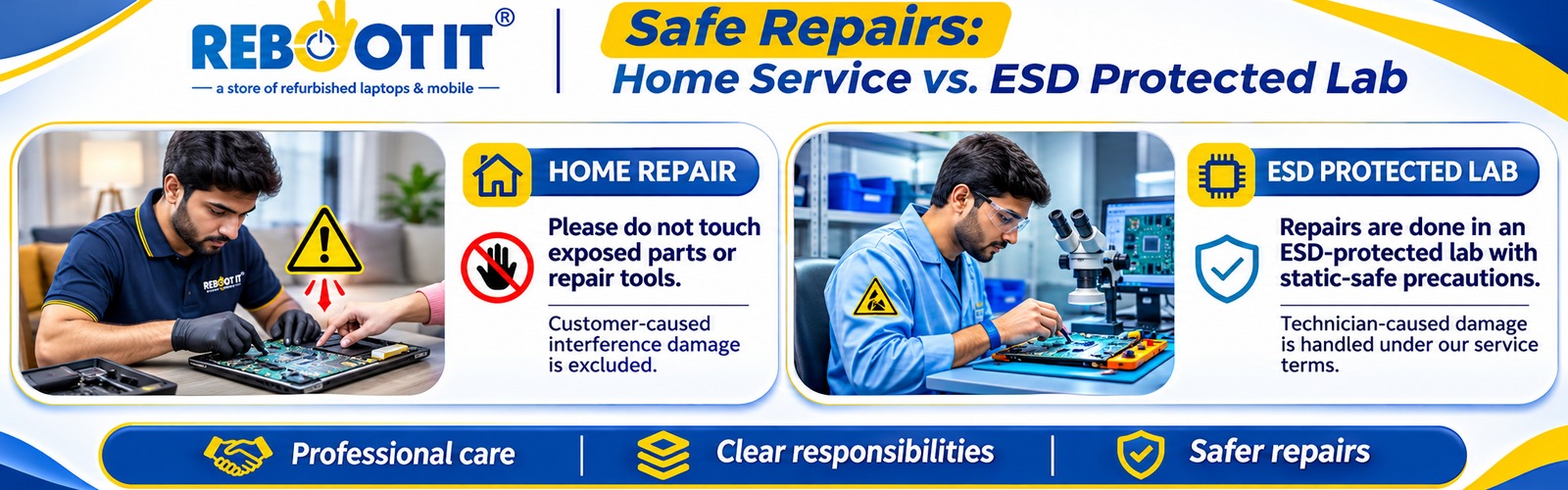
Data loss does not always mean the files are permanently gone. Deleted files, damaged partitions, and inaccessible storage devices may be recoverable, depending on whether the original data remains intact.
Reboot IT provides data recovery support for individuals and businesses facing different types of storage failure.
We assess internal and external hard drives affected by accidental formatting, bad sectors, firmware faults, mechanical damage and inaccessible partitions.
Common problems:
A clicking hard disk may have a mechanical fault. Switch it off rather than repeatedly reconnecting it or running recovery software.
We assess SATA, M.2 and NVMe SSDs for controller failures, firmware problems, corrupted partitions and inaccessible data.
SSD recovery differs from HDD recovery because SSDs use flash memory, wear management and features such as TRIM. Some deleted data may be permanently erased by the storage system, making recovery impossible.
Lost access to files after a laptop crash, operating-system failure or storage problem?
Reboot IT assesses supported Dell, HP, Lenovo, Acer, ASUS, Apple MacBook and other computer storage devices.
A laptop that no longer starts does not necessarily mean its files are lost. Data recovery options depend on storage condition, encryption and device design.
Business storage failures can affect shared documents, databases, applications and other important files.
Our listed recovery services cover:
If a RAID array fails, avoid rebuilding or initialising it before professional assessment. These actions may overwrite information needed for recovery.
We assess USB flash drives, SD cards, microSD cards and supported camera memory cards for deleted files, formatting errors, corruption and device failures.
Stop saving new photographs or documents to the affected device, as new files may overwrite recoverable data.
Reboot IT also lists data recovery support for Android and iOS devices affected by hardware damage or inaccessible storage.
Recovery of photographs, documents, contacts or application data depends on device condition, encryption, backups and whether the original data still exists.
| What happened? | Possible cause | What should you do? |
| Hard disk not detected | Cable, controller or drive failure | Check external connection once; seek assessment if unresolved |
| HDD making clicking sounds | Mechanical damage | Power off immediately |
| Files accidentally deleted | File-system deletion | Stop using the drive |
| Drive asks to format | Partition or file-system corruption | Do not format |
| SSD suddenly stops working | Controller, firmware or power fault | Avoid repeated power cycles |
| RAID storage offline | Disk or configuration failure | Avoid rebuilding the array |
| Laptop won’t boot | OS, drive or hardware failure | Avoid reinstalling onto the affected storage |
Important: Do not format, initialise, repair or repeatedly scan a failing storage device before protecting the data. These actions can reduce recovery possibilities.
Some deleted files can be restored without professional intervention.
First, check the Recycle Bin, cloud backups, File History or other existing backups.
If the drive works normally and there is no indication of physical damage, a carefully planned recovery attempt may be possible. Ideally, recovery should be performed from an image of the affected drive and files saved to separate storage.
However, stop DIY attempts if the drive clicks, disconnects repeatedly, overheats or shows signs of physical failure.
For SSDs, deleted files may be unrecoverable after TRIM has processed the affected blocks. No recovery service can guarantee success in every situation.
Data recovery charges depend on the device, storage capacity, type of failure and work required.
A logically corrupted drive may need file-system recovery, while a physically damaged HDD may require specialised equipment and compatible components.
Reboot IT’s published pricing information currently states:
The starting price does not mean every damaged drive can be recovered for ₹1,500. Ask for the estimated recovery cost and any applicable charges before approving work.
Sometimes. A dead hard disk can have an electronic, firmware or mechanical fault, and each requires a different recovery approach.
Recovery is less predictable when the storage surface is severely damaged, data has been overwritten or necessary encryption keys are unavailable.
The first priority should be preserving the remaining data—not making the faulty drive usable again.
Step 1 – Share Your Problem: Tell us the device type, brand, capacity and what happened before data became inaccessible.
Step 2 – Device Assessment: The reported issue and storage condition are evaluated using an appropriate diagnostic approach.
Step 3 – Recovery Quotation: Available recovery options, estimated charges and feasibility are explained before approval.
Step 4 – Data Recovery: The suitable recovery method is used according to the device and nature of the failure.
Step 5 – File Verification & Delivery: Recovered files are checked where possible and arrangements for secure delivery are confirmed.
Recovery time varies. Logical problems may require less work than mechanical damage or complex RAID failures.
Reboot IT lists recovery support for Seagate, Western Digital (WD), Toshiba, Hitachi, Samsung, SanDisk, Kingston, Sony, Transcend, HP, Lenovo and supported Apple storage devices.
Brand coverage does not guarantee recoverability. The exact storage model, condition, encryption and available recovery methods determine the options.
Diagnosis-Based Recommendations: The appropriate recovery approach is determined by the storage problem rather than using the same process for every device.
Support for Different Storage Types: HDD, SSD, portable storage, computer drives and supported business storage systems.
Recovery Cost Information: Discuss the assessment, additional charges and recovery quotation before authorising work.
Data Privacy Considerations: Ask how recovered files are accessed, stored, transferred and handled after delivery.
Local Service Support: Reboot IT provides service enquiry and pickup options for eligible customers in Kolkata.
If your hard drive has stopped working or important files have disappeared, avoid further use of the affected storage device.
Contact Reboot IT with your device model, storage capacity, symptoms and the type of data you need recovered.
Reboot IT Electronics Pvt Ltd
13, Ganesh Chandra Avenue, Bowbazar, Kolkata – 700013
Phone: +91 98310 66580 / 033 4003 4580
Book a Data Recovery Assessment
Excellent Stellar Data Recovery Kolkata service. They recovered all my lost files from a corrupted hard disk. Truly professional data recovery in Kolkata.
Location : Salt Lake
Best hard disk recovery in Kolkata. The technician handled my data carefully and recovered everything. Highly reliable hard disk data recovery service in Kolkata.
Location : Behala
Professional data recovery in Kolkata. Fast, efficient, and trustworthy service for hard disk recovery. Strongly recommended Stellar Data Recovery Kolkata.
Location : New Town